Build to Fight Zombies Updates
Known dates, what to watch after patches, and how this wiki tracks changes.
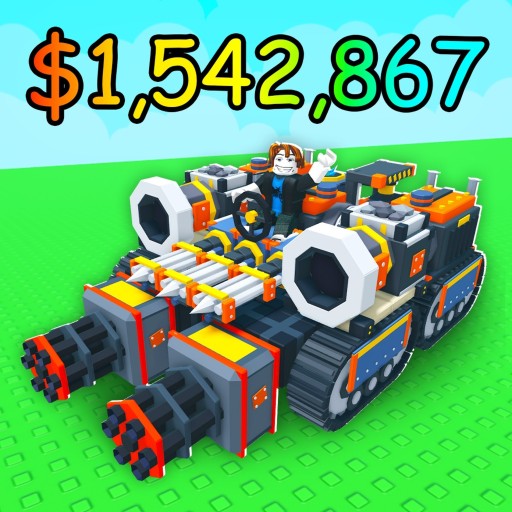
The Updates Hub tracks what we know about Build to Fight Zombies patches and how you should respond in-game. Khorovats Group does not always publish long public changelogs for every client bump, so this page combines hard dates from the Roblox experience record with practical “what to re-check” advice for builders. When detailed notes appear, child update pages can expand under this hub; until then, treat the timeline below as the canonical date spine for the wiki.
Known timeline
| Date | Milestone | Notes |
|---|---|---|
| 2 October 2026 | Experience created / released | Place 83385558650869 goes live as a Simulation / Sandbox tank-defense game from Khorovats Group |
| October–November 2026 | Ongoing live ops | Player counts and visits climb; community guides document prep-time building, turrets, armor, and six-player co-op |
| ~26 November 2026 | Latest tracked update window | Client continues to show recent activity into late November 2026; always confirm the stamp on the official Roblox page |
Exact hour-level patch notes may not be mirrored publicly for every push. If the Roblox “Updated” field moves again, trust that stamp first, then return here for wiki impact.
What usually changes on patch days
Even without a paragraph changelog, Roblox zombie-builders often touch:
- Prep window timing or build-panel behavior
- How quickly zombies scale in later waves
- Turret or armor effectiveness (feel, not always named stats)
- Stability, replication, or co-op edge cases in six-player servers
- UI entry points that might someday host a codes box
After any bump, run one short session focused on repair → place → face before you invent a new theorycraft. Re-validate tips on Best Tank Builds and Turrets and Armor if something feels off.
How to track changes yourself
- Open the official Roblox game page and check the Updated date.
- Read the experience description and any new posts from Khorovats Group.
- Join a low-stakes public server and test prep building immediately — do not wait until a deep late-wave run to discover a UI change.
- Compare notes with teammates on the Players Hub habits: facing, repair calls, role overlap.
- Watch this Updates Hub and the wiki overview after we sync facts site-wide.
Optional: keep a personal log of wave reached before/after a patch. Personal data beats rumor screenshots from similarly named games.
Impact on other wiki sections
- Codes: still no verified working codes as of late November 2026. A patch might add a redeem UI later; we will not invent strings beforehand.
- Scripts: updates often break injectors. That is another reason this wiki refuses unverified loadstrings for place 83385558650869.
- Tier List: strategy tiers (repair, balance, facing, roles) are more stable than fake item IDs, but density/armor feel can shift — re-read after major bumps.
- Guides: tutorial and prep fundamentals rarely vanish; refresh specifics if the build panel changes.
Practical post-update checklist
- Confirm you are on the latest client (rejoin if Roblox prompts an update).
- Complete or re-skim tutorial prompts if new UI appears.
- In prep one, place a simple turret + armor mix and verify delete/rebuild still works.
- Play through a few early waves focusing on repair order.
- Only then attempt a coordinated six-player push with role calls.
- If something contradicts this wiki, trust the live game and report the mismatch so we can fix source JSON.
How this hub will grow
When Khorovats publishes clearer notes — new enemy types, named modules, events, or codes — we will add dated child pages under updates/ and link them from this hub body. Featured flags will highlight timely patches on the home page. Until a detailed public changelog exists, this hub’s job is to keep dates honest, tell you where to look, and remind you which strategy pages to re-test.
Stay current, repair first, and treat every patch as a reason to re-validate facing and balance — not a reason to download a random “update bypass” script.
Frequently Asked Questions
Quick answers for tank builds, waves, and codes.
When did Build to Fight Zombies release?
The experience was created and released on 2 October 2026 by Khorovats Group on Roblox.
When was the last update?
Activity continued into late November 2026 (around 26 November on this wiki’s tracker). Always confirm the Updated stamp on the official Roblox page.
Where do I find official patch notes?
Check the Roblox experience page and Khorovats Group posts first. This hub mirrors known dates and practical impact when full changelogs are thin.
Do updates add codes?
Not so far. See the Codes Hub for the current empty verified list and how redemption will work when codes appear.
What should I do right after a patch?
Rejoin for the latest client, test prep building early, re-check repair and facing habits, then revisit tier-list pages if wave feel changed.