Build to Fight Zombies Guides Hub
Tank building, wave strategy, co-op roles, and prep-window checklists in one place.
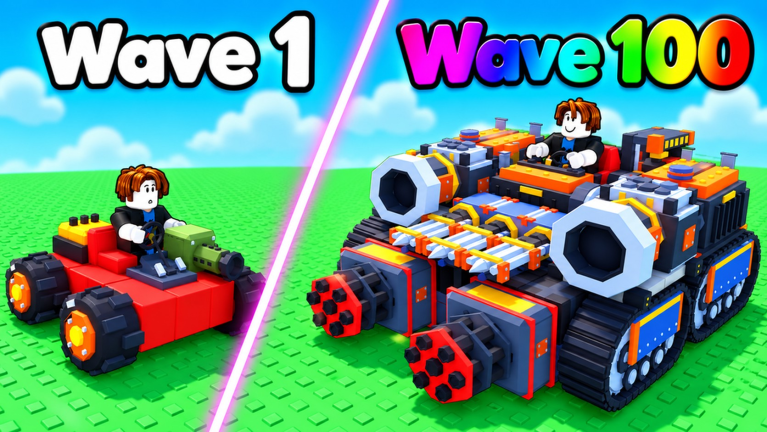
Welcome to the Guides Hub for Build to Fight Zombies on Roblox. This experience by Khorovats is a simulation and sandbox wave game: you assemble a tank with turrets and armor, spend a short preparation window upgrading between fights, then hold out against escalating zombie waves. Up to six players can share a server; solo runs are fully supported. A run ends when your tank is fully destroyed.
Use this hub as the map for every how-to page on the wiki. Each guide below is written for real sessions, not filler. Cross-links keep you moving from first launch into deeper build and survival habits.
Start here if you are new
If this is your first time in the lobby, begin with Getting Started. That page walks through the tutorial, the build panel, what a prep window is for, and how a typical first session should feel. Do not skip the tutorial prompts—the game teaches placement, deletion, and the difference between firepower and durability parts before the real waves ramp up.
Once you can place parts without fumbling, move to How to Build a Tank. That guide focuses on turrets, armor layers, placement habits, and how to spend every second of prep time instead of staring at the timer.
Survive longer every run
Building alone does not win late waves. Read Survive Waves for crowd-clear versus tanky-zombie priorities, facing directions, and when to stop adding random parts and start answering the last wave’s damage pattern. Pair that with Repair and Prep so you check health, repair critical sections first, and enter the next fight with a short checklist instead of panic clicks.
Play with friends
Servers support up to six players. Co-op Guide covers role split, who faces which angle, and how to avoid stacking every turret on the same approach. Voice or chat coordination turns overlapping fire arcs into a wall of coverage.
Related tools and hubs
For input reminders while you learn the UI, see the Controls page under Tools. For codes status, open the Codes Hub. For creator and community links, use the Links Hub. Wave patches and changelog notes live under Updates.
How these guides are organized
- Onboarding — tutorial completion, first-session goals, build panel basics
- Construction — turrets, armor, placement, prep-time workflow
- Combat pacing — wave reading, formations, crowd versus elite threats
- Team play — six-player roles and facing plans
- Maintenance — health checks, repair priority, prep checklists
Each guide aims for practical depth: what to do in the next sixty seconds of prep, what to watch for when zombies change shape, and which sibling page to open next. Internal links use trailing slashes so every locale stays consistent after generation.
Suggested reading order
- Getting Started — finish tutorial, learn the loop
- How to Build a Tank — firepower and armor habits
- Survive Waves — adapt builds to threat type
- Repair and Prep — stop small damage from ending runs
- Co-op Guide — when you bring friends
Bookmark this hub and return after patches. When a new part type or wave modifier appears, the same loop still applies: build in prep, fight the wave, read the damage, repair and upgrade, repeat until the tank collapses.
What success looks like
Early success is finishing the tutorial without confusion and clearing the first few waves with a balanced starter layout. Mid success is surviving denser crowds by adding turrets on purpose and armor on the faces that actually take hits. Late success is a coordinated six-player formation that covers flanks instead of all staring at the same spawn lane. None of that requires promo codes or third-party scripts—just deliberate prep windows and honest repairs.
If a page feels thin after a major update from Khorovats, check Updates first, then revisit the matching guide. This hub will keep linking every walkthrough we publish so you never hunt through unrelated categories for build advice.
Play on Roblox, keep the tank alive one more wave, and use the guides below whenever a prep timer starts ticking.
Frequently Asked Questions
Quick answers for tank builds, waves, and codes.
Where should a brand-new player start?
Open Getting Started first, finish the in-game tutorial, then follow How to Build a Tank before pushing harder waves.
Do these guides cover solo and co-op?
Yes. Solo tips appear throughout; dedicated six-player role and facing advice lives on the Co-op Guide page.
Is there a video on every guide?
We only embed verified Build to Fight Zombies videos. If none are confirmed yet, guides stay text-first with clear steps.
How often are guides updated?
After meaningful patches that change building, waves, or co-op limits. Check the Updates hub for patch context.